Friday, February 14, 2020

Data base Optimization


Database is the most important and powerful part of any application. If your database is not working properly and taking long time to compute the result, this means something is going wrong in database.

  1. ·         Use  index on table
  2. ·         Use  to Avoid Null value in fixed length field
  3. ·         Use  Appropriate Datatype
  4. ·         Use  Common Table Expressions (CTEs) instead of Temp table
  5. ·         Use  Appropriate Naming Convention
  6. ·         Use  UNION ALL instead of UNION
  7. ·         Use  Small data type for Index 
  8. Use  the stored procedure because stored procedures are fast and easy to maintain for 


Abstract Class

I  have implemented most of my projects abstract class as a base class and all derived classes must implement abstract definition. we can avoid duplicate code.
·         creating something that provides common functionality to unrelated classes, use an interface
·         Abstract classes allow to provide default functionality for the subclasses.
·         creating something for objects that are closely related in a hierarchy, use an abstract class
If the base class will be changing often and an interface was used instead of an abstract class, we are going to run into problems. Once an interface is changed, any class that implements that will be broken. Now if it’s just you working on the project, that’s no big deal. However, once your interface is published to the client, that interface needs to be locked down. At that point, you will be breaking the clients code.


abstract class TestClass {
 
    protected int myNumber;  
    public abstract int numbers
    {
        get;
        set;
    }
}
 
class absDerived : TestClass {
 
    public override int numbers
    {
        get
        {
            return myNumber;
        }
        set
        {
            myNumber = value;
        }
    }
}
 
class order{
 
    // Main Method
    public static void Main)
    {
        TestDerived d = new TestDerived();
        d.numbers = 7;
        Console.WriteLine(d.numbers);
    }
}

c# generics


generics to write a class or method that can work with any data type. When the compiler encounters a constructor for the class or a function call for the method, it generates code to handle the specific data type.
It helps you to maximize code reuse, type safety, and performance

·         Use generic types to maximize code reuse, type safety, and performance.
·         The most common use of generics is to create collection classes.

public class GenericList
{
    public void Add(T input) { }
}
class TestGenericList
{
    private class ExampleClass { }
    static void Main()
    {
        // Declare a list of type int.
        GenericList list1 = new GenericList();
        list1.Add(1);

        // Declare a list of type string.
        GenericList list2 = new GenericList();
        list2.Add("");

        // Declare a list of type ExampleClass.
        GenericList list3 = new GenericList();
        list3.Add(new ExampleClass());
    }
}

c# Memory Clean of Objects


finally statement is to ensure that the necessary cleanup of objects, usually objects that are holding external resources, occurs immediately, even if an exception is thrown. One example of such cleanup is calling Close on a FileStream immediately after use instead of waiting for the object to be garbage collected by the common language runtime, as follows

static void CodeobjectCleanup()
{
    System.IO.FileStream file = null;
    System.IO.FileInfo fileInfo = new System.IO.FileInfo("C:\\file.txt");

    file = fileInfo.OpenWrite();
    file.WriteByte(0xF);

    file.Close();
}

Monday, July 5, 2010

Sesquential Workflow

Sequential workflow


Workflow.cs
using System;
using System.ComponentModel;
using System.ComponentModel.Design;
using System.Collections;
using System.Drawing;
using System.Workflow.ComponentModel.Compiler;
using System.Workflow.ComponentModel.Serialization;
using System.Workflow.ComponentModel;
using System.Workflow.ComponentModel.Design;
using System.Workflow.Runtime;
using System.Workflow.Activities;
using System.Workflow.Activities.Rules;
namespace WorkflowConsoleApplication7
{
public sealed partial class Workflow6: SequentialWorkflowActivity
{
public Workflow6()
{
InitializeComponent();
}
private void codeActivity1_ExecuteCode(object sender, EventArgs e)
{
Console.WriteLine("Start workflow");
}
private void codeActivity2_ExecuteCode(object sender, EventArgs e)
{
Console.WriteLine("step1");
}
private void codeActivity3_ExecuteCode(object sender, EventArgs e)
{
Console.WriteLine("step2");
}
private void codeActivity4_ExecuteCode(object sender, EventArgs e)
{
Console.WriteLine("End workflow");
Console.ReadLine();
}
}
}

Program.cs
using System;
using System.Collections.Generic;using System.Text;
using System.Threading;
using System.Workflow.Runtime;
using System.Workflow.Runtime.Hosting;
namespace WorkflowConsoleApplication7
{
class Program
{
static void Main(string[] args)
{
using(WorkflowRuntime workflowRuntime = new WorkflowRuntime())
{ AutoResetEvent waitHandle = new AutoResetEvent(false); workflowRuntime.WorkflowCompleted += delegate(object sender, WorkflowCompletedEventArgs e) {waitHandle.Set();}; workflowRuntime.WorkflowTerminated += delegate(object sender, WorkflowTerminatedEventArgs e)
{
Console.WriteLine(e.Exception.Message);
waitHandle.Set();
};
WorkflowInstance instance = workflowRuntime.CreateWorkflow(typeof(WorkflowConsoleApplication7.Workflow7));
instance.Start();
waitHandle.WaitOne();
}
}
}
}

Workflow Delay

Delay in Workflow


workflow.cs

using System;

using System.ComponentModel;

using System.ComponentModel.Design;

using System.Collections;

using System.Drawing;

using System.Workflow.ComponentModel.Compiler;

using System.Workflow.ComponentModel.Serialization;

using System.Workflow.ComponentModel;

using System.Workflow.ComponentModel.Design;

using System.Workflow.Runtime;

using System.Workflow.Activities;

using System.Workflow.Activities.Rules;
namespace WorkflowConsoleApplication7

{

public sealed partial class Workflow5: SequentialWorkflowActivity

{

public Workflow5()

{

InitializeComponent();

}
private void codeActivity1_ExecuteCode(object sender, EventArgs e)

{

Console.WriteLine("Start workflow");

}
private void codeActivity2_ExecuteCode(object sender, EventArgs e)

{

Console.WriteLine("Left Side1");

}
private void codeActivity3_ExecuteCode(object sender, EventArgs e)

{ Console.WriteLine("Right side2");

}
private void codeActivity4_ExecuteCode(object sender, EventArgs e)

{

Console.WriteLine("Left side2");

}
private void delayActivity1_InitializeTimeoutDuration(object sender, EventArgs e)

{
}
private void codeActivity7_ExecuteCode(object sender, EventArgs e)

{

Console.WriteLine("Right side1");

}
private void codeActivity6_ExecuteCode(object sender, EventArgs e)

{

Console.WriteLine("Right side3");

}
private void codeActivity5_ExecuteCode(object sender, EventArgs e)

{

Console.WriteLine("End workflow");

Console.ReadLine();

}

}
}

program.cs

using System;

using System.Collections.Generic;

using System.Text;

using System.Threading;

using System.Workflow.Runtime;

using System.Workflow.Runtime.Hosting;
namespace WorkflowConsoleApplication7

{

class Program

{

static void Main(string[] args)

{

using(WorkflowRuntime workflowRuntime = new WorkflowRuntime())

{

AutoResetEvent waitHandle = new AutoResetEvent(false); workflowRuntime.WorkflowCompleted += delegate(object sender, WorkflowCompletedEventArgs e) {waitHandle.Set();}; workflowRuntime.WorkflowTerminated += delegate(object sender, WorkflowTerminatedEventArgs e)

{

Console.WriteLine(e.Exception.Message);

waitHandle.Set();

};

WorkflowInstance instance = workflowRuntime.CreateWorkflow(typeof(WorkflowConsoleApplication7.Workflow3));

instance.Start();

waitHandle.WaitOne();

}

}

}

}

Workflow While Loop

While Loop in Workflow


workflow.cs
using System;
using System.ComponentModel;
using System.ComponentModel.Design;
using System.Collections;
using System.Drawing;
using System.Workflow.ComponentModel.Compiler;
using System.Workflow.ComponentModel.Serialization;
using System.Workflow.ComponentModel;
using System.Workflow.ComponentModel.Design;
using System.Workflow.Runtime;
using System.Workflow.Activities;
using System.Workflow.Activities.Rules;
namespace WorkflowConsoleApplication7
{
public sealed partial class Workflow3: SequentialWorkflowActivity
{
public Workflow3()
{
InitializeComponent();
}
private void codeActivity1_ExecuteCode(object sender, EventArgs e)
{ Console.WriteLine("Start");
}
private void codeActivity2_ExecuteCode(object sender, EventArgs e)
{ Console.WriteLine("Left side flow");
}
private void codeActivity3_ExecuteCode(object sender, EventArgs e)
{
Console.WriteLine("Right side flow");
}
private void codeActivity4_ExecuteCode(object sender, EventArgs e)
{
Console.WriteLine("End");
Console.ReadLine();
}
}
}
program.cs
using System;
using System.Collections.Generic;
using System.Text;
using System.Threading;
using System.Workflow.Runtime;
using System.Workflow.Runtime.Hosting;
namespace WorkflowConsoleApplication7
{
class Program
{
static void Main(string[] args)
{
using(WorkflowRuntime workflowRuntime = new WorkflowRuntime())
{
AutoResetEvent waitHandle = new AutoResetEvent(false); workflowRuntime.WorkflowCompleted += delegate(object sender, WorkflowCompletedEventArgs e) {waitHandle.Set();}; workflowRuntime.WorkflowTerminated += delegate(object sender, WorkflowTerminatedEventArgs e)
{
Console.WriteLine(e.Exception.Message);
waitHandle.Set();
};
WorkflowInstance instance = workflowRuntime.CreateWorkflow(typeof(WorkflowConsoleApplication7.Workflow3));
instance.Start();
waitHandle.WaitOne();
}
}
}
}

Sunday, July 4, 2010

Parallel Workflow


Workflow.cs

using System;

using System.ComponentModel;

using System.ComponentModel.Design;

using System.Collections;

using System.Drawing;

using System.Workflow.ComponentModel.Compiler;

using System.Workflow.ComponentModel.Serialization;

using System.Workflow.ComponentModel;

using System.Workflow.ComponentModel.Design;

using System.Workflow.Runtime;

using System.Workflow.Activities;

using System.Workflow.Activities.Rules;
namespace WorkflowConsoleApplication7

{

public sealed partial class Workflow3: SequentialWorkflowActivity

{

public Workflow3()

{

InitializeComponent();

}
private void codeActivity1_ExecuteCode(object sender, EventArgs e) { Console.WriteLine("Start");
}
private void codeActivity2_ExecuteCode(object sender, EventArgs e) {

Console.WriteLine("Left side flow");

}
private void codeActivity3_ExecuteCode(object sender, EventArgs e) {

Console.WriteLine("Right side flow");

}
private void codeActivity4_ExecuteCode(object sender, EventArgs e) {

Console.WriteLine("End");

Console.ReadLine();

}

}
}


Program.cs

using System;using System.Collections.Generic;
using System.Text;
using System.Threading;
using System.Workflow.Runtime;
using System.Workflow.Runtime.Hosting;
namespace WorkflowConsoleApplication7
{ class Program
{
static void Main(string[] args)
{
using(WorkflowRuntime workflowRuntime = new WorkflowRuntime())
{
AutoResetEvent waitHandle = new AutoResetEvent(false); workflowRuntime.WorkflowCompleted += delegate(object sender, WorkflowCompletedEventArgs e) {waitHandle.Set();}; workflowRuntime.WorkflowTerminated += delegate(object sender, WorkflowTerminatedEventArgs e)
{
Console.WriteLine(e.Exception.Message);
waitHandle.Set();
};
WorkflowInstance instance = workflowRuntime.CreateWorkflow(typeof(WorkflowConsoleApplication7.Workflow3));
instance.Start();
waitHandle.WaitOne();
}
}
}
}


Sharepoint workflow IfElse Condition

Custom workFlow IfElse Condition


workflow.cs
using System;

using System.ComponentModel;

using System.ComponentModel.Design;

using System.Collections;using System.Drawing;

using System.Workflow.ComponentModel.Compiler;

using System.Workflow.ComponentModel.Serialization;

using System.Workflow.ComponentModel;

using System.Workflow.ComponentModel.Design;

using System.Workflow.Runtime;

using System.Workflow.Activities;

using System.Workflow.Activities.Rules;
namespace WorkflowConsoleApplication7

{

public sealed partial class Workflow2: SequentialWorkflowActivity

{

public Workflow2()

{

InitializeComponent();

}

private string x;
private void codeActivity2_ExecuteCode(object sender, EventArgs e)

{

Console.WriteLine("yes"); Console.ReadLine();

}
private void codeActivity3_ExecuteCode(object sender, EventArgs e)

{

Console.WriteLine("no");

Console.ReadLine();

}
private void codeActivity1_ExecuteCode(object sender, EventArgs e)

{

Console.WriteLine("Type yes/no");

x = Convert.ToString(Console.ReadLine());

}
}
}

program.cs
using System;
using System.Collections.Generic;
using System.Text;
using System.Threading;
using System.Workflow.Runtime;
using System.Workflow.Runtime.Hosting;
namespace WorkflowConsoleApplication7
{
class Program
{
static void Main(string[] args)
{
using(WorkflowRuntime workflowRuntime = new WorkflowRuntime())
{
AutoResetEvent waitHandle = new AutoResetEvent(false); workflowRuntime.WorkflowCompleted += delegate(object sender, WorkflowCompletedEventArgs e) {waitHandle.Set();
};
workflowRuntime.WorkflowTerminated += delegate(object sender, WorkflowTerminatedEventArgs e)
{
Console.WriteLine(e.Exception.Message);
waitHandle.Set();
};
WorkflowInstance instance = workflowRuntime.CreateWorkflow(typeof(WorkflowConsoleApplication7.Workflow2));
instance.Start();
waitHandle.WaitOne();
}
}
}
}

Sharepoint Workflow

Code Activity
it is a simple workflow to display the "Hello world"


program.cs
using System;
using System.Collections.Generic;
using System.Text;
using System.Threading;
using System.Workflow.Runtime;
using System.Workflow.Runtime.Hosting;
namespace WorkflowConsoleApplication7
{
class Program { static void Main(string[] args)
{
using(WorkflowRuntime workflowRuntime = new WorkflowRuntime())
{
AutoResetEvent waitHandle = new AutoResetEvent(false); workflowRuntime.WorkflowCompleted += delegate(object sender, WorkflowCompletedEventArgs e)
{
waitHandle.Set();
};
workflowRuntime.WorkflowTerminated += delegate(object sender, WorkflowTerminatedEventArgs e) { Console.WriteLine(e.Exception.Message); waitHandle.Set(); };
WorkflowInstance instance = workflowRuntime.CreateWorkflow(typeof(WorkflowConsoleApplication7.Workflow1)); instance.Start();
waitHandle.WaitOne();
}
}
}
}

workflow.cs

using System;

using System.ComponentModel;

using System.ComponentModel.Design;

using System.Collections;

using System.Drawing;

using System.Workflow.ComponentModel.Compiler;

using System.Workflow.ComponentModel.Serialization;

using System.Workflow.ComponentModel;

using System.Workflow.ComponentModel.Design;

using System.Workflow.Runtime;

using System.Workflow.Activities;

using System.Workflow.Activities.Rules;
namespace WorkflowConsoleApplication7

{

public sealed partial class Workflow1: SequentialWorkflowActivity

{

public Workflow1()

{

InitializeComponent();

}
private void codeActivity1_ExecuteCode(object sender, EventArgs e) { Console.WriteLine("Hello world");

Console.ReadLine();

}

}
}

Thursday, January 28, 2010

Gridview validation using sever controls

Default.aspx

<asp:GridView ID="GridView1" runat="server" AutoGenerateColumns="False"
onrowcancelingedit="GridView1_RowCancelingEdit"
onrowediting="GridView1_RowEditing">

<Columns>
<asp:BoundField DataField ="id" HeaderText ="id" ReadOnly="true" />

<asp:TemplateField HeaderText ="name">
<ItemTemplate >
<asp:Label ID="Label1" runat="server" Text='<%#Eval("name") %>'></asp:Label>

</ItemTemplate>
<EditItemTemplate>
<asp:TextBox ID="TextBox1" runat="server" Text='<%#Eval("name") %>'></asp:TextBox>
<asp:RequiredFieldValidator ID="RequiredFieldValidator1" runat="server" ErrorMessage="Please enter the data" ControlToValidate ="TextBox1"></asp:RequiredFieldValidator>
</EditItemTemplate>
</asp:TemplateField>
<asp:TemplateField HeaderText ="fathername">
<ItemTemplate >
<asp:Label ID="Label2" runat="server" Text='<%#Eval("fathername") %>'></asp:Label>
</ItemTemplate>
<EditItemTemplate>
<asp:TextBox ID="TextBox2" runat="server" Text='<%#Eval("fathername") %>'></asp:TextBox>
<asp:RequiredFieldValidator ID="RequiredFieldValidator2" runat="server" ErrorMessage="Please enter the data" ControlToValidate ="TextBox2" ></asp:RequiredFieldValidator>
</EditItemTemplate>
</asp:TemplateField>
<asp:CommandField ShowEditButton="True" />
</Columns>
</asp:GridView>


Default.aspx.cs

protected void Page_Load(object sender, EventArgs e)
{
if (!IsPostBack)
{
BindDataToGrid();
}
}
public DataSet BindDataToGrid()
{
SqlConnection con = new SqlConnection(ConfigurationManager.ConnectionStrings["ConnectionString"].ToString());
SqlCommand cmd = new SqlCommand("select * from employee", con); SqlDataAdapter da = new SqlDataAdapter(cmd);
DataSet ds = new DataSet();
da.Fill(ds);
GridView1.DataSource = ds;
GridView1.DataBind();
return ds;
}

protected void GridView1_RowEditing(object sender, GridViewEditEventArgs e)
{
GridView1.EditIndex = e.NewEditIndex;
BindDataToGrid();
}
protected void GridView1_RowCancelingEdit(object sender, GridViewCancelEditEventArgs e)
{
GridView1.EditIndex = -1;
BindDataToGrid();
}

Thursday, January 21, 2010

SharePoint Sites and workspaces

Creating Sites and workspaces :
Step1:Click on site Settings under the Site Action Section.

Step2: Click on Sites and workspaces.Under the Site Administration Section.
Step3: Click on new Button.

Step4:Enter the Title,Description and URL name.


Step5:select Team Site under the template section.


Step6:Now Site is Created."Job"


SharePoint Save site as template

Creating Custom List as Template
Step1: open the Custom List.
Step2: Click on List Settings under the settings section.

step3:Click on Save list as template under the Save list as template section.

Step4:Enter the new List name.


Step5:Now new List is Created.Click on OK Button.


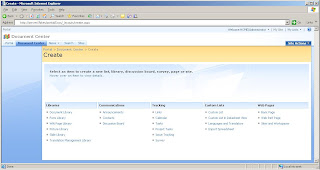
Step6:Click on the Create under the site Action section

Step7: Now New List is Available "TaskList" under Tracking Section.


Wednesday, January 20, 2010

SharePoint Tree view

Setup Enable Quick Launch :
Step1: Click on Site Settings under the Site Action. Right side of the page
Step2: Click on Tree View under the Look and Feel Section.

Step3: Select Quick Launch Check Box.


Step4:Now Quick Launch is Updated.


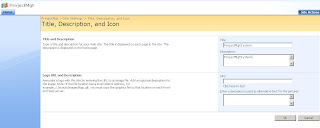
SharePoint Title, description, and icon

Changing the Sharepoint Site Title and Description:
Step1: Click on Site Settings under the Site Action .right side of the page.
step2:Click on Title description under the Look and feel section.

Step3: here you can change the Title and Descrition.

Step4: Here i have given New Title for my Site.

Step5:Now title is Updated


Saturday, January 16, 2010

Create sharepoint Custom List and ContentType


step1: click on site settings under the site actions
Add Image step2:click on custom list under the custom lists


step3: enter the text the name and description


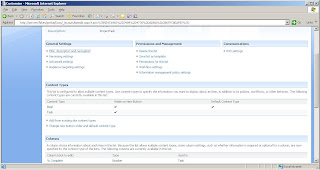
step4: click on list settings under the settings


step5:click on advanced settings

step6:click on "Yes" Allow management of content types?


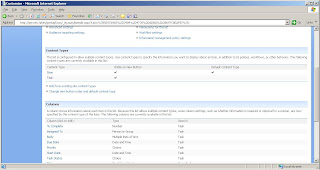
step7:click on "Add from existing site content type "


step8: select List content Type from dropdown next select Task from List next click on Add

step9:now Task is added in list


step10: now Task is created next Back to the page


step11: click on new step12: add the task information here

step13: new data is showing here


SqlServer Substring

DECLARE @strString VARCHAR(50)
SET @strString = 'SUBSTRING'

SELECT SUBSTRING(@strString,1,1) AS STRSTRING
Result:S

SELECT SUBSTRING(@strString,1,2) AS STRSTRING
Result:SU

SELECT SUBSTRING(@strString,1,3) AS STRSTRING
Result:SUB

SELECT SUBSTRING(@strString,1,4) AS STRSTRING
Result:SUBS

SELECT SUBSTRING(@strString,1,5) AS STRSTRING
Result:SUBST

SELECT SUBSTRING(@strString,1,6) AS STRSTRING
Result:SUBSTR

SELECT SUBSTRING(@strString,1,7) AS STRSTRING
Result:SUBSTRI

SELECT SUBSTRING(@strString,1,8) AS STRSTRING
Result:SUBSTRIN

SELECT SUBSTRING(@strString,1,9) AS STRSTRING
Result:SUBSTRING

SELECT SUBSTRING(@strString,3,9) AS STRSTRING
Result:BSTRING
SELECT SUBSTRING(@strString,-5,9) AS STRSTRING
Result: SUB

SELECT SUBSTRING(@strString,-7,9) AS STRSTRING
Result:S

SqlServer Date Format

declare @startdate datetime
set @startdate='01-01-2009'


2) SELECT CONVERT(VARCHAR, startdate, 1)
from emp
Result: 01/01/09
3)SELECT CONVERT(VARCHAR, startdate, 2)
from emp
Result:09.09.09
4)SELECT CONVERT(VARCHAR, startdate, 3)
from emp
Result: 01/01/09
5)SELECT CONVERT(VARCHAR, startdate, 4)
from emp
Result: 01.01.09
6)SELECT CONVERT(VARCHAR, startdate, 5)
from emp
Result: 01-01-09
7)SELECT CONVERT(VARCHAR, startdate, 6)
from emp
Result: 01 Jan 0
8)SELECT CONVERT(VARCHAR, startdate, 7)
from emp
Result: Jan 01,
9)SELECT CONVERT(VARCHAR, startdate, 8)
from emp
Result: 00:00:00
10)SELECT CONVERT(VARCHAR, startdate, 9)
from emp
Result: Jan 1 2009 12:00:00:000AM
11)SELECT CONVERT(VARCHAR, startdate, 10)
from emp
Result: 01-01-09
12)SELECT CONVERT(VARCHAR, startdate, 11)
from emp
Result: 09/01/01
13)SELECT CONVERT(VARCHAR, startdate, 12)
from emp
Result: 090101
14)SELECT CONVERT(VARCHAR, startdate, 101)
from emp
Result: 01/01/2009
15)SELECT CONVERT(VARCHAR, startdate, 102)
from emp
Result: 2009.01.01
16)SELECT CONVERT(VARCHAR, startdate, 103)
from emp
Result: 09.01.01
17)SELECT CONVERT(VARCHAR, startdate, 104)
from emp
Result: 01/01/2009
18)SELECT CONVERT(VARCHAR, startdate, 105)
from emp
Result: 01-01-2009
19)SELECT CONVERT(VARCHAR, startdate, 106)
from emp
Result: 01 Jan 2009
20)SELECT CONVERT(VARCHAR, startdate, 107)
from emp
Result: Jan 01, 2009
21)SELECT CONVERT(VARCHAR, startdate, 108)
from emp
Result: 00:00:00
22)SELECT CONVERT(VARCHAR, startdate, 109)
from emp
Result: Jan 1 2009 12:00:00:000AM
23)SELECT CONVERT(VARCHAR, startdate, 110)
from emp
Result: 01-01-2009
24)SELECT CONVERT(VARCHAR, startdate, 111)
from emp
Result: 2009/01/01

Monday, January 11, 2010

Gridview Sorting Asp.Net 2.0 and using up and down arrows

Deafault.aspx


<asp:GridView ID="GridView1" runat="server" AllowSorting="True"
AutoGenerateColumns="False" onpageindexchanging="GridView1_PageIndexChanging"
onrowcreated="GridView1_RowCreated" onsorting="GridView1_Sorting">
<Columns>
<asp:BoundField DataField ="id" HeaderText ="id" SortExpression ="id" />
<asp:BoundField DataField ="name" HeaderText ="name" SortExpression ="name" />
<asp:BoundField DataField ="fathername" HeaderText ="fathername" SortExpression ="fathername" />
<asp:BoundField DataField ="designation" HeaderText ="designation" SortExpression ="designation" />
<asp:BoundField DataField ="address" HeaderText ="address" SortExpression ="address" />
</Columns>
</asp:GridView>

Default.aspx.cs


protected void Page_Load(object sender, EventArgs e)
{
if (!IsPostBack)
{
ViewState["SortOrder"] = "DESC";
BindDataToGrid();
}
}

public DataSet BindDataToGrid()
{
SqlConnection con = new SqlConnection(ConfigurationManager.ConnectionStrings["ConnectionString"].ToString());
SqlCommand cmd = new SqlCommand("select * from employee", con); SqlDataAdapter da = new SqlDataAdapter(cmd);
DataSet ds = new DataSet();
da.Fill(ds);
GridView1.DataSource = ds;
GridView1.DataBind();
return ds;
}
protected void GridView1_RowCreated(object sender, GridViewRowEventArgs e) {
if (e.Row.RowType == DataControlRowType.Header) {
int sortColumnIndex = GetSortColumnIndex();
if (sortColumnIndex != -1) {
AddSortImage(sortColumnIndex, e.Row);
}
}
}
protected void GridView1_PageIndexChanging(object sender, GridViewPageEventArgs e)
{
GridView1.PageIndex = e.NewPageIndex;
GridView1.DataSource = FillGrid();
GridView1.DataBind();
}
protected void GridView1_Sorting(object sender, GridViewSortEventArgs e) {
ViewState["sortExpression"] = e.SortExpression;
if (ViewState["SortOrder"] != null) {
if (ViewState["SortOrder"].ToString().ToUpper() == "ASC")
{
ViewState["SortOrder"] = "DESC";
ViewState["SortDirection"] = SortDirection.Descending;
}
else
{
ViewState["SortOrder"] = "ASC";
ViewState["SortDirection"] = SortDirection.Ascending;
}
}
GridView1.PageIndex = 0;
GridView1.DataSource = FillGrid();
GridView1.DataBind();

}
private DataView FillGrid()
{
DataSet ds = new DataSet();
DataView dv = new DataView();
ds=BindDataToGrid();
if (ViewState["sortExpression"] != null)
{
dv = new DataView(ds.Tables[0]);
dv.Sort = (string)ViewState["sortExpression"] + " "
+ ViewState["SortOrder"];
}
else
dv = ds.Tables[0].DefaultView;
return dv;
}
private void AddSortImage(int columnIndex, GridViewRow headerRow)
{
Image sortImage = new Image();
if (GridViewSortDirection == SortDirection.Ascending)
{
sortImage.ImageUrl = "~/images/up.gif";
sortImage.AlternateText = "Ascending Order";
}
else {
sortImage.ImageUrl = "~/images/down.gif";
sortImage.AlternateText = "Descending Order";
}
headerRow.Cells[columnIndex].Controls.Add(sortImage);
} private int GetSortColumnIndex() {
foreach (DataControlField field in GridView1.Columns)
{
if (field.SortExpression ==
(string)ViewState["sortExpr"])
{
return GridView1.Columns.IndexOf(field);
}
}
return -1;
}
private SortDirection GridViewSortDirection
{ get
{
if (ViewState["SortDirection"] == null)
ViewState["SortDirection"] = SortDirection.Ascending;
return (SortDirection)ViewState["SortDirection"];
}
set
{
ViewState["SortDirection"] = value;
}
}

Wednesday, December 2, 2009

Gridview operations

Default.aspx


OnRowEditing="GridView1_RowEditing" OnRowUpdating="GridView1_RowUpdating" OnRowCancelingEdit="GridView1_RowCancelingEdit"
OnRowDeleting="GridView1_RowDeleting">


Default.aspx.cs

using System;
using System.Data;
using System.Configuration;
using System.Web;
using System.Web.Security;
using System.Web.UI;
using System.Web.UI.WebControls;
using System.Web.UI.WebControls.WebParts;
using System.Web.UI.HtmlControls;
using System.Data.SqlClient;

public partial class _Default : System.Web.UI.Page
{
protected void Page_Load(object sender, EventArgs e)
{
if (!Page.IsPostBack)
bindData();
}
private void bindData()
{
SqlConnection con = new SqlConnection(ConfigurationManager.ConnectionStrings["con"].ToString());
SqlCommand cmd = new SqlCommand("select id,name from employee", con);
SqlDataReader dr;
con.Open();
dr = cmd.ExecuteReader();
GridView1.DataSource = dr;
GridView1.DataBind();

}

protected void GridView1_RowEditing(object sender, GridViewEditEventArgs e)
{
GridView1.EditIndex = e.NewEditIndex;
bindData();
}
protected void GridView1_RowUpdating(object sender, GridViewUpdateEventArgs e)
{
if (e.RowIndex != -1)
{
int id = (int)GridView1.DataKeys[e.RowIndex].Value;
TextBox txt1 = (TextBox)GridView1.Rows[e.RowIndex].Cells[1].Controls[0];
string str1 = txt1.Text;


using (SqlConnection con = new SqlConnection(ConfigurationManager.ConnectionStrings["con"].ToString()))
{
string sql = "UPDATE employee " + "SET name='" + str1 + "' " + "WHERE id= " + GridView1.DataKeys[e.RowIndex].Value;

SqlCommand cmd = new SqlCommand(sql, con);
con.Open();
cmd.ExecuteNonQuery();
con.Close();
}

GridView1.EditIndex = -1;
bindData();

}
}
protected void GridView1_RowCancelingEdit(object sender, GridViewCancelEditEventArgs e)
{
GridView1.EditIndex = -1;
bindData();
}
protected void GridView1_RowDeleting(object sender, GridViewDeleteEventArgs e)
{

int id = (int)GridView1.DataKeys[e.RowIndex].Value;
using (SqlConnection con = new SqlConnection(ConfigurationManager.ConnectionStrings["con"].ToString()))
{

string sql = "Delete From employee Where id=@id";

con.Open();
SqlCommand cmd = new SqlCommand(sql, con);
cmd.Parameters.AddWithValue("@id", id);
cmd.ExecuteNonQuery();
con.Close();
bindData();
}


}
}